Showing posts with label technology integration rubrics. Show all posts

Wednesday, February 11, 2015

A Very Good Rubric for Evaluating Students' Multimedia Projects

February 11, 2015
Here is another wonderful rubric for evaluating multimedia projects in your classroom. This rubric which I came across through North Carolina State University website is realized by Multimedia Mania. As a teacher, you can use this document in your instruction to assess your students� digital projects. The rubric uses a wide variety of criteria grouped under different colour codes.


From the technical design of the project to citing resources, the rubric covers almost every aspect you will want your students to attend to while doing their multimedia projects. This document is also available for free download from this link.

Saturday, January 10, 2015

Google's New Guide for Integrating Technology in Schools

January 11, 2015
Google for Education has recently published this wonderful guide to help schools make a seamless shift into the world of digital learning and teaching. The guide is geared towards assisting schools integrate innovative educational technologies using a five step approach. Here is a brief overview of the main headlines of this guide. You can access the full unabridged guide from this LINK.


1- Define Your Goals

  • Understand what your school hopes to achieve by getting education online
  • Map your IT needs and consider open technology
  • Align with your stakeholders on the technical requirements and potential solution offerings
  • Determine your school�s current capabilities and systems
  • Understand the work required

2-Invest in access

  • Understand your infrastructure needs
  • Improve your infrastructure management
  • Upgrade your Internet connectivity for a better web experience
  • Implement LAN and WiFi solutions to promote online learning anytime, anywhere

3- Build your team

  • Create an internal support team
  • Assemble a deployment team

4-Offer web tools

  • Unlocking the potential of web-based learning
  • Integrate your solution

5- Manage change

  • Develop skills
  • Spread the word
  • Manage the solution

Sunday, December 7, 2014

A Handy Poster Featuring 7 Ways to Integrate Technology in Class

December 8, 2014
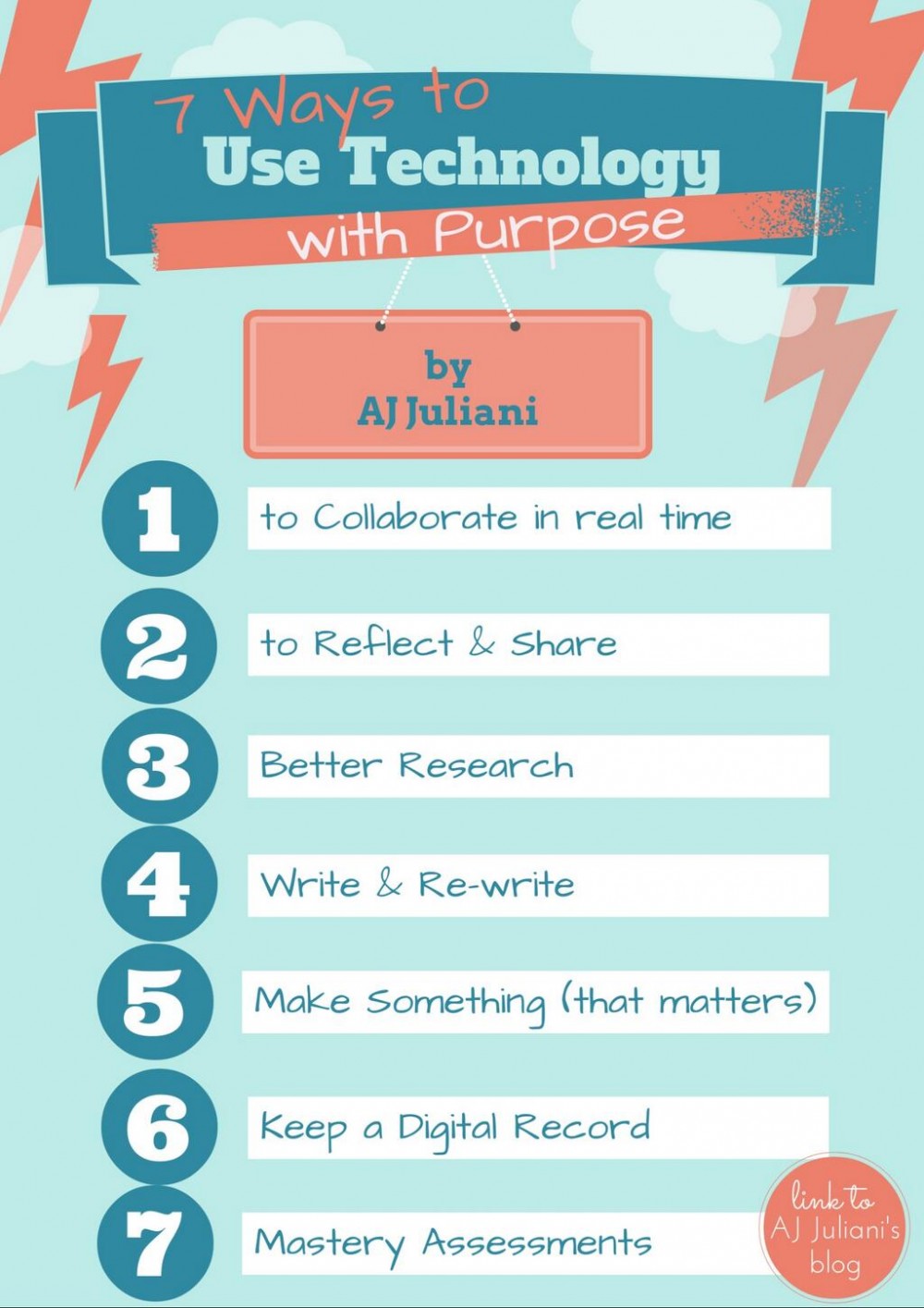
In an earlier post I published here a couple of weeks ago, I highlighted the difference between using and integrating technology in class. I also argued  that integrating technology in instruction is a principled process that requires deep and reflective thinking about the whys behind such integration as well as  the learning outcomes expected from such integration.

In the visual below, Juliani   suggests 7 useful ways to help you better integrate technology in your classroom. Think of them as tips to guide through the the process of teaching with technology. The purpose use of technology J talks about in this visual is another word for  the concept of technology integration I talked about earlier.

7 Ways to Integrate Technology in Class

Friday, November 14, 2014

4 Steps for A Better Integration of Technology in Teaching

November 14, 2014
In an earlier post we shared here a few months ago, we talked about the differences between technology use and technology integration and we argued that integrating technology in instruction is a principled process that requires deep and reflective thinking about the whys behind such integration as well as  the learning outcomes expected from such integration.

The visual we have for you today will assist you to better integrate technology in your classroom projects. This visual, created by UBC Learning Commons, outlines the basic steps in the process of integrating technology in your class. The first step in this process is to identify the requirements of the project for which you want to use technology. Then comes the phase where you need to consider the skills you possess or planning to develop to carry out this digital task. The third phase is where you start looking for the specific technological tool to use and the last step is about finding resources.

You can also watch this video to learn more about the aforementioned steps. Enjoy


Here is the visual from UBC Learning Commons